• About Us
  • Calendar
  • Blog
  • Contact Us
Hit enter to search or ESC to close
MIT Sloan Teaching & Learning Technologies
  • Home
  • AI Hub
  • Trainings
  • Tools
  • Teaching Spaces
  • How-to Guides
  • Support
CanvasCourse ManagementFAQPanoptoStudentZoom

Overview: Learning in Spring and Fall (For Students)

At a Glance There are two formats for classes in Spring and Fall: In-person or…
Anna Wright
Anna WrightNovember 8, 2024
CanvasCourse ManagementFAQPanoptoStudentZoom

Overview: Learning in IAP and Summer (For Students)

At a Glance There are two formats for classes in IAP and Summer: In-person or…
Anna Wright
Anna WrightNovember 8, 2024
CanvasCourse AdminCourse OverviewFacultyHow-to GuidePhotobookStudentTA

How to Play a Name Pronunciation Recording in Canvas

At a Glance On your MySloan Profile, you can record the pronunciation of your name.…
Anna Wright
Anna WrightAugust 11, 2022
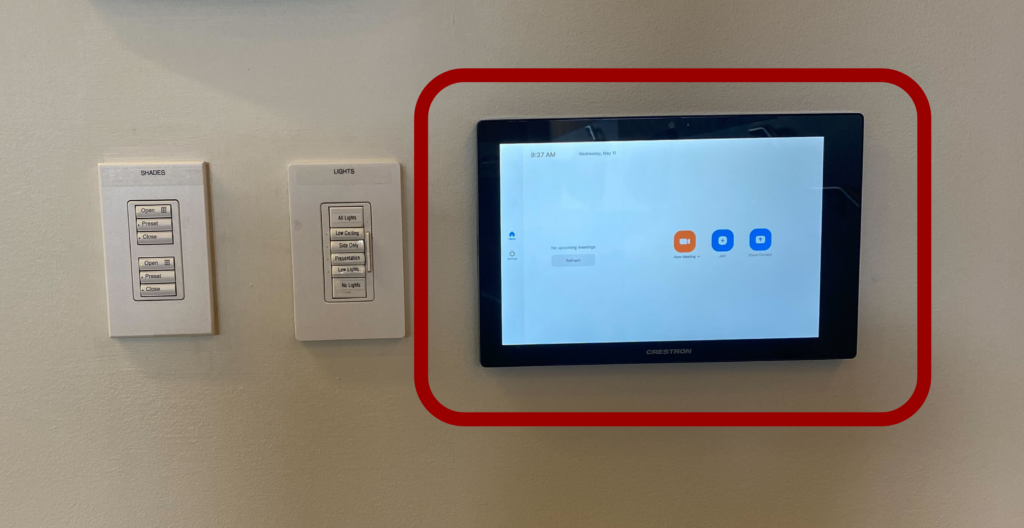
Photo of Zoom Panel in ClassroomFacultyHow-to GuideStudentTeaching SpacesZoom

How to Connect an MIT Sloan Classroom to Zoom

At a Glance Many MIT Sloan classrooms are equipped with Zoom Rooms, a system that…
Elias Bouquillon
Elias BouquillonAugust 2, 2021
Explain EverythingFacultyHow-to GuideStudentTATeaching SpacesWhiteboardingZoom

How to Wirelessly Connect an iPad or Laptop in an MIT Sloan Conference Room

At a Glance Projecting wirelessly allows you to move freely around the conference room as…
Elias Bouquillon
Elias BouquillonMay 18, 2023
CanvasCourse AdminCourse ManagementFacultyHow-to GuideStudentTA

How to Access a Past Course in Canvas

At a Glance This guide for teaching teams and students shows you how to access…
Shallon Silvestrone
Shallon SilvestroneAugust 4, 2021
CanvasQuick Start GuideStudent

Quick Start Guide: Getting Started with Canvas at MIT Sloan

At a Glance In this guide, you'll learn about the tools and support you need to…
Anna Wright
Anna WrightJune 14, 2021
AudienceCanvasFAQStudent

The Top 10 Things Students Need to Know About Canvas

At a Glance In this guide for students, you'll learn about the most important things…
Samantha McGurgan
Samantha McGurganJune 11, 2021
How-to GuidePanoptoStudentVideos

How to Join a Classroom Livestream and View a Classroom Recording as a Student

At a Glance Students can request access to a livestream or classroom recording if they…
Anna Wright
Anna WrightAugust 23, 2021
CanvasCourse AdminFacultyHow-to GuideStudent

How to Login to Canvas

At a Glance Canvas is MIT’s learning management system, providing access to course materials, assignments,…
Anna Wright
Anna WrightMarch 4, 2025
Previous 1 2 3 4 5 Next

Studio Resources

  • Teaching Studio
  • Reserve
  • Explore
  • Watch an Example Video
  • Choose Your Outfit
  • Record a Video
  • Record a Screencast
  • Broadcast a Class Live
  • Download a Template

Teaching Spaces

  • Teaching Spaces
  • Spaces & Reservations
  • Classroom Technologies
  • Teaching Studio
  • Practice Sessions
  • Remote Teaching Equipment Recommendations

Platforms & Tools

  • All Platforms & Tools
  • A+ Attendance
  • Adobe Creative Cloud
  • AskTIM
  • Canvas
  • ChatGPT Enterprise
  • Claude Enterprise
  • Course Copilot
  • Course Overview
  • Explain Everything
  • Google AI Studio
  • Google Gemini
  • Google Gemini Notebook
  • Gradescope
  • Harvard Business Publishing (HBP)
  • Membership
  • Microsoft Copilot Chat
  • MITSIS Grade Export
  • Panopto
  • Parley
  • Parley API
  • Peerceptiv
  • Photobook
  • Piazza
  • Poll Everywhere
  • Qualtrics
  • Slack
  • Stack AI
  • Study.Net
  • Zoom
  • Zoom LTI Pro

You May Also Need

  • TA Hub
  • Term Start Checklist
  • Course Copilot
  • Canvas Essentials Training
  • Canvas Quick Start for TAs
  • Canvas Quick Start for PCAs
  • Request a Course Copy
  • MIT Sloan’s Gold Standards
  • Practice Sessions
  • Livestreaming & Classroom Recordings
  • Manage Your Course Roster
  • Supported Platforms & Tools
  • Get Help with Canvas

You May Also Need

  • Term Start Checklist
  • Explore MIT Sloan’s Gold Standards
  • Add Study.Net Materials
  • Add Harvard Business Publishing (HBP) Content
  • Add & Manage Canvas Calendar Events
  • Browse Canvas Instructor Guides
  • Get Help with Canvas

You May Also Need

  • Check Your WebSIS Roster
  • Canvas Quick Start for TAs
  • How to Manage Your Course Roster
  • How Student Enrollments Work in Canvas
  • How to Add a Cross-Registered Student to a Canvas Course
  • How to Add a Teacher-Like Guest to a Canvas Course
  • How to Use the Membership Tool

You May Also Need

  • Term Start Checklist
  • Practice Sessions
  • Livestreaming & Classroom Recordings
  • Overview: Teaching in Spring & Fall
  • Overview: Teaching in IAP & Summer
  • Request AV Support
  • Request Simulation Support

You May Also Need

  • Key Dates for Sloan Teaching Teams
  • End-of-Term Checklist
  • Export Your Final Grades Using the MITSIS Grade Export Tool
  • Extend a Canvas Course Past the MIT Term End Date
  • Manage Your Canvas Dashboard
  • Access Past Courses in Canvas

You May Also Need

  • Get Started with Canvas at Sloan
    • Top 10 Things You Need to Know About Canvas
    • FAQ: Canvas
    • Get Canvas Help
  • Check Your Registration @ MIT
    • FAQ: Course Registration & Canvas Access
  • Enter A+ Attendance Code
  • Troubleshoot the “Network Access Restricted” Error in A+ Attendance
  • View a Livestream or Classroom Recording
  • Join a Zoom Meeting from Your Canvas Course
  • AI Tools for MIT Sloan Students

MIT Student Resources

  • Disability and Access Services (DAS)
  • The Writing and Communication Center
  • MIT DoingWell

You May Also Need

  • Tool Overview
  • Quick Start Guide
  • Set Up A+ Attendance: Basic
  • Set Up A+ Attendance: Advanced Options
  • Take Attendance
  • Student Check-In Guide
  • FAQ
Submit a Support Ticket Browse Our Trainings Request a Consultation

AI Basics

  • AI Basics
  • Glossary of Terms: Generative AI Basics
  • How ChatGPT Works: A Non-Technical Primer
  • Effective Prompts for AI: The Essentials
  • When AI Gets It Wrong: Addressing AI Hallucinations and Bias
  • Generative AI as a New Innovation Platform

AI Tools

  • AI Tools
  • AI Writing and Content Creation Tools
    • Custom GPTs at MIT Sloan: A Comprehensive Guide
  • AI Data Analysis and Quantitative Tools
    • How to Use ChatGPT’s Advanced Data Analysis Feature
  • AI Image Generation Tools

AI Policy & Ethics

  • Policy & Ethics
  • MIT Sloan Generative AI Guiding Principles
  • Navigating Data Privacy

Teach & Learn with AI

  • Teach & Learn
  • 4 Steps to Design an AI-Resilient Learning Experience
  • AI Detectors Don’t Work. Here’s What to Do Instead.
  • Data-Driven Teaching: AI for Pre- and Post-Class Surveys
  • Getting Started with AI-Enhanced Teaching: A Practical Guide for Instructors
  • Practical Strategies for Teaching with AI

Training & Support

  • Training & Support
  • How to Join the MIT Sloan Faculty Slack Channel for Generative AI
Request a Consultation Share Your Feedback Meet Our Team

About Us

  • Who We Are
  • Sitemap
  • Privacy Statement
  • Accessibility

Canvas Support

  • How to Get Help with Canvas
  • Canvas Quick Start for PCAs
  • Canvas Quick Start for TAs
  • Course Copilot

Request Forms

  • General Support Request
  • Course Copy Request
  • Consultation Request
  • View All Request Forms

AI Resources

  • AI Resource Hub
  • AI Tools for Faculty
  • AI Tools for Students
  • Navigating Data Privacy

Quick Start Guides

  • Term Start Checklist
  • A+ Attendance
  • Poll Everywhere
  • End-of-Term Checklist

Teaching Spaces

  • Teaching Studio
  • Reserve a Space
  • Classroom Technologies
  • Equipment Recommendations

Recent Blog Posts

  • New Tool Alert: Course Copilot in Canvas September 3, 2026
  • Photograph of students in a classroomA+ Attendance Update: New Default Check-In Settings August 19, 2026
  • Simulated Personas, Real Insights: An MIT Sloan Student’s Perspective on AI for User Research August 15, 2025
  • The AI-Ready Canvas Course: Six Steps to Future-Proof Your Teaching May 14, 2025

© 2026 MIT Sloan Teaching & Learning Technologies.

  • Home
  • AI Hub
  • Trainings
  • Tools
  • Teaching Spaces
  • How-to Guides
  • Support
  • About Us
  • Calendar
  • Blog
  • Contact Us