Assessments and ExamsAssignmentsCanvasCase TeachingCommunicationCourse AdminFacultyGradingGroup and Team WorkHow-to GuidePanoptoPoll EverywherePollingTAVideosZoom How to Adapt Between In-Person and Remote Teaching At a Glance In-person and remote teaching both offer lots of opportunities to engage students…Jillian RubmanJune 1, 2021
CanvasPedagogy 4 Tips to Design an Engaging Discussion in Canvas Explore these tips and the example discussion prompt to learn how you can design an…Jillian RubmanJanuary 7, 2022
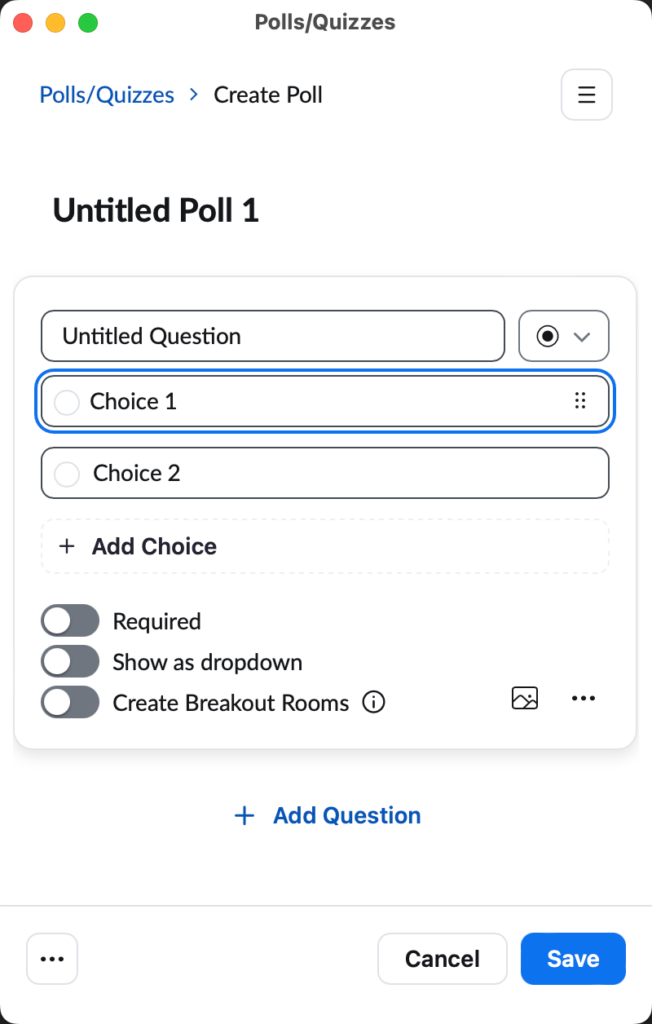
CanvasCourse AdminFacultyHow-to GuidePollingTAZoom How to Create and Launch a Poll using Zoom At a Glance In this guide for faculty and teaching teams, you'll learn how to:…Jillian RubmanApril 26, 2021
Release Notes Canvas Update: Push Notifications Starting January 16, 2021, Canvas will support push notifications in the Canvas Student app related to announcements,…Anna WrightJuly 11, 2021
Release Notes Canvas Update: The New Rich Content Editor Canvas is discontinuing the current Rich Content Editor. The new Rich Content Editor (RCE) will…Anna WrightJuly 7, 2021
CanvasCourse AdminCourse ManagementFacultyHow-to GuideTA How to Change Your Course Name in Canvas At a Glance The course name is displayed on the Course Card on your Canvas…Anna WrightJanuary 25, 2022
AssignmentsStudent How to Record and Submit a Video Project in Canvas At a Glance In this guide, students will learn how to record a video using…Anna WrightMay 3, 2021
Exclude from SearchLanding Page Support How-to Guides Find clear, step-by-step instructions on how to use the tools at MIT Sloan.…Anna WrightMarch 30, 2021
CanvasCommunicationCourse AdminFacultyHow-to GuideStudentTAVideosZoom How to View Video Recordings of Your Zoom Meetings in Canvas At a Glance In this guide, you’ll learn how to view a video recording of…Anna WrightJune 22, 2021
CommunicationSlack Setting Up Slack for Student Success Dive into how Slack can enhance student engagement and collaboration, and discover the steps for…Jillian RubmanAugust 24, 2023